· 1 min read
Resize Any Mac App to a Precise Size
Use macOS Automator to create a quick action that resizes any application window to specific dimensions.

Using Mac's Automator app you can resize the current window by creating a new "Quick Action". Once created this action will appear in your services list for every application.
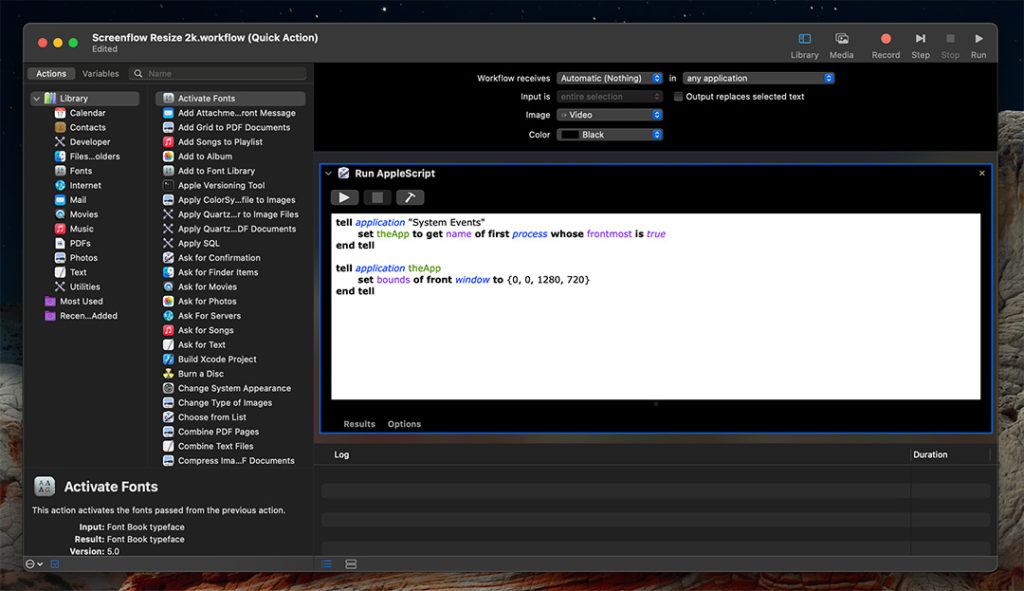
Here is the AppleScript to set a window to the size 720p (1280px by 720px). However, some applications like PhpStorm do not have window bounds and will not work.
bash
tell application "System Events"
    set theApp to get name of first process whose frontmost is true
end tell

tell application theApp
    set bounds of front window to {0, 0, 1280, 720}
end tell